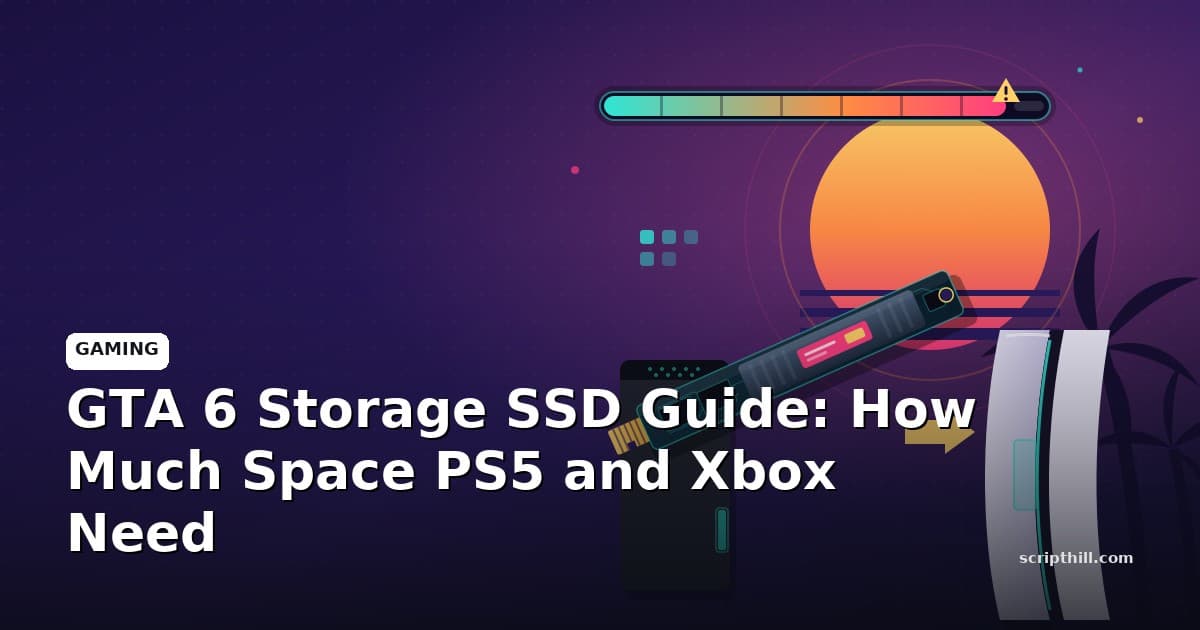
Rockstar says GTA 6 needs up to 212 GB of free space on PS5 and Xbox Series X|S. The game launches at midnight in each region on November 19, 2026, and preloads (early downloads that let you play the moment it goes live) are already available.
Before you shop for a GTA 6 storage SSD (a solid-state drive, the fast flash storage consoles install games to), check whether you have about 250 GB free, not just 212. Rockstar hasn't said how big the day-one patch (the update that arrives at release) will be, and later updates will only make the game larger. Buying the disc won't save space either. The boxed PS5 copy contains a download code, and console games install in full either way.
If you're close to 250 GB, a cleanup may be all you need. If you own a Series S or a launch PS5 that's already full, you'll probably need more storage.
How big GTA 6 is on each console
The download itself is slightly smaller than the headline number. Preload screens show about 209.75 GB on PS5 and about 209.9 GB on Xbox. Rockstar's Newswire post on November 3 said the preload "will require up to 212 GB depending on your device," and the PlayStation Blog tells PS5 owners to clear "a minimum of 212GB." The extra couple of gigabytes is working room the console uses while it unpacks the files.
If the Xbox store showed you roughly 225 GB, the game isn't bigger on Xbox. It's being counted two different ways. A gigabyte (GB) is 1,000,000,000 bytes. A gibibyte (GiB) is about 7% larger, at 1,073,741,824 bytes. The console reports the game as about 210 of those binary units, and the store converts the same file to decimal gigabytes, which comes out near 225.
PS5 sizes also vary a little by region. Sony ships three regional PS5 builds: the global version is about 210 GB, the Australia/New Zealand build is 209.913 GB, and Japan's size hasn't been confirmed. The 230 GB printed on German PS5 boxes doesn't mean a smaller install from the disc, because that box only holds a store code too.
The missing piece is the day-one patch. GTA 5 on PS5 now lists 148.2 GB after years of updates, and GTA 6 will likely grow the same way. That's why 250 GB is the safer target.
Will it fit on your console?
GTA 6 eats well over half of an Xbox Series S's usable storage, while a PS5 Pro barely notices it:
| Console | Built-in storage | Usable space | Share GTA 6 takes |
|---|---|---|---|
PS5 (launch model) | 825 GB | About 667 GB | About 32% |
PS5 Slim | 1 TB | Less than 1 TB | About a quarter |
PS5 Pro | 2 TB | Most of 2 TB | The smallest share of any console |
Xbox Series X | 1 TB | Roughly 800 GB | Roughly a quarter |
Xbox Series S | 512 GB | 364 GB | Well over half |
Usable space is always lower than the number on the box. The operating system and the space the console reserves for updates, caches and captures come out before you install a single game. On a launch PS5, that's about 158 GB of the advertised 825 GB.
To see your own number, go to Settings > Storage > Console Storage on PS5 or Settings > System > Storage devices on Xbox. Both screens show what's free right now, after everything you've already installed. If it's under about 250 GB, you'll need to clear space or add storage before launch. Most launch PS5 and Series S owners with a few big games installed will land there.
Free up space without buying anything
The cheapest space is space you already have, and your finished games are usually the biggest source of it.
- Delete games you've finished. Your save files are usually kept in cloud or system storage, separate from the game itself, so removing a game doesn't normally wipe your progress. Confirm that for any game you care about before you delete it.
- Park rarely played games on a USB drive. On PS5, you can move PS5 titles to an external USB drive and copy them back when you want to play. That's faster than downloading them again. Xbox can also move games to USB.
- Clear your captures. Screenshots and video clips build up in the background and can take tens of gigabytes without you noticing.
USB storage has one big limit: GTA 6 can't run from it on either console. The game has to sit on internal storage. That means the console's built-in SSD, a drive in the PS5's M.2 slot (an internal slot for a small, stick-shaped SSD), or an official Xbox expansion card. A USB drive only helps by moving other games out of GTA 6's way.
Deleting is free, but getting a game back later means waiting for it to download again. Archiving costs nothing extra if you already own a USB drive. Internal storage costs the most, but it's the better buy if you regularly go back to older games and don't want to re-download them.
Choosing a GTA 6 storage SSD for your PS5
Buy a 2 TB PCIe Gen4 NVMe SSD with a heatsink. Each part of that spec rules out drives that look almost identical on a store page. NVMe is the fast connection type the PS5's M.2 slot expects, and PCIe Gen4 is the generation of the interface it runs over. A heatsink is a metal cooler that sits on the drive and draws heat away from it.
Here are Sony's requirements. Check them against its support page before you order. Sequential read speed means how fast the drive reads large files.
- A PCIe Gen4 x4 NVMe interface
- Capacity between 250 GB and 8 TB
- Any length from 2230 to 22110 (22 mm wide, 30 to 110 mm long)
- At least 5,500 MB/s sequential read speed (recommended)
- Cooling such as a heatsink, either built in or a slim one you add, with a total height under about 11.25 mm
Get 2 TB. When games run 100 to 200 GB each, a 1 TB drive holds GTA 6 plus only a few other big titles before you're deleting again. At 4 TB and above, you pay a lot more per gigabyte, which only makes sense if you keep a huge library installed.
Skip Gen5 drives. They work, but the PS5 runs them at Gen4 speed, so you pay extra for speed you can't use and get a drive that runs hotter. Gen3 drives aren't supported at all.
Well-known compatible models include the WD_Black SN850X with heatsink, the Samsung 990 Pro with heatsink, the Seagate FireCuda 530 and the Crucial T500. Several are sold both with and without a heatsink, so check the exact listing and its SKU (the retailer's model code). SSD prices have been swinging, so compare live prices at a few stores instead of trusting an old deal post.
Installing a PS5 SSD before launch
You only need a #1 Phillips screwdriver.
- Update the system software in Settings > System > System Software. The M.2 slot depends on current software to recognize the drive.
- Shut down the PS5 completely, not into rest mode. Wait for the light to go off, then unplug the power cable and everything else.
- Remove the cover. That's the side panel on launch and Pro models and the top cover on the Slim. Sony's support guide shows the exact grip and slide direction for each model, so check it before you pull.
- Unscrew the M.2 slot cover. Move the small spacer to the hole that matches your drive's length (most are 2280, meaning 80 mm long). Slide the drive in at a slight angle, press it flat and screw it down. If your heatsink came separately, fit it first, then put both covers back on.
- Boot the console and choose Format M.2 SSD when prompted. To confirm it worked, open Settings > Storage. The drive should appear as M.2 SSD Storage next to Console Storage.
- Set the install location for new games in Settings > Storage > Installation Location, under PS5 Games, and choose M.2 SSD Storage. Reopen the menu to check the setting stuck.
- Move GTA 6's preload and any other big titles. In Console Storage, select Games and Apps, then Move Items, and pick them. When it's finished, GTA 6 should be listed under M.2 SSD Storage and your Console Storage free space should go up.
Do this now rather than on launch night. Formatting, moving games and the download itself can easily take hours.
Upgrading storage on Xbox Series X S
On Xbox, GTA 6 can only run from the console's built-in SSD or an official Storage Expansion Card, made by Seagate or sold as the WD_Black C50. That rule covers every game built for Series X|S, and you can't replace the internal SSD with a bigger one yourself. The card slides into the expansion slot on the back of the console, no tools needed. Once the console detects it, set the card as the install location for new games or move your GTA 6 preload onto it.
The catch is cost: expansion cards run much more per terabyte than PS5 M.2 drives. A cheaper USB drive still earns its place, though. It can store Series X|S games so you can copy them back later without re-downloading, and it plays Xbox One and older titles directly, which makes it a good home for your back catalog.
The Series S is the tightest fit. Once the system's share and GTA 6 are taken out, there's room for only one or two other big games. If you regularly switch between several large titles, the card is the realistic fix.
What to do before November 19
If your storage screen shows 250 GB or more free, you're set. Open your library and confirm the GTA 6 preload finished, so launch night means pressing Start instead of watching a progress bar. If you're 50 or 100 GB short, archive or delete your two biggest finished games tonight, before the preload stalls on a "not enough space" error. And if you own a launch PS5 or a Series S with a backlog you still play, stop juggling. Order a 2 TB Gen4 SSD with a heatsink or an official expansion card today, so it arrives and is installed before the 19th.
Sources
Want more from ScriptHill in Google? Add us as a preferred source