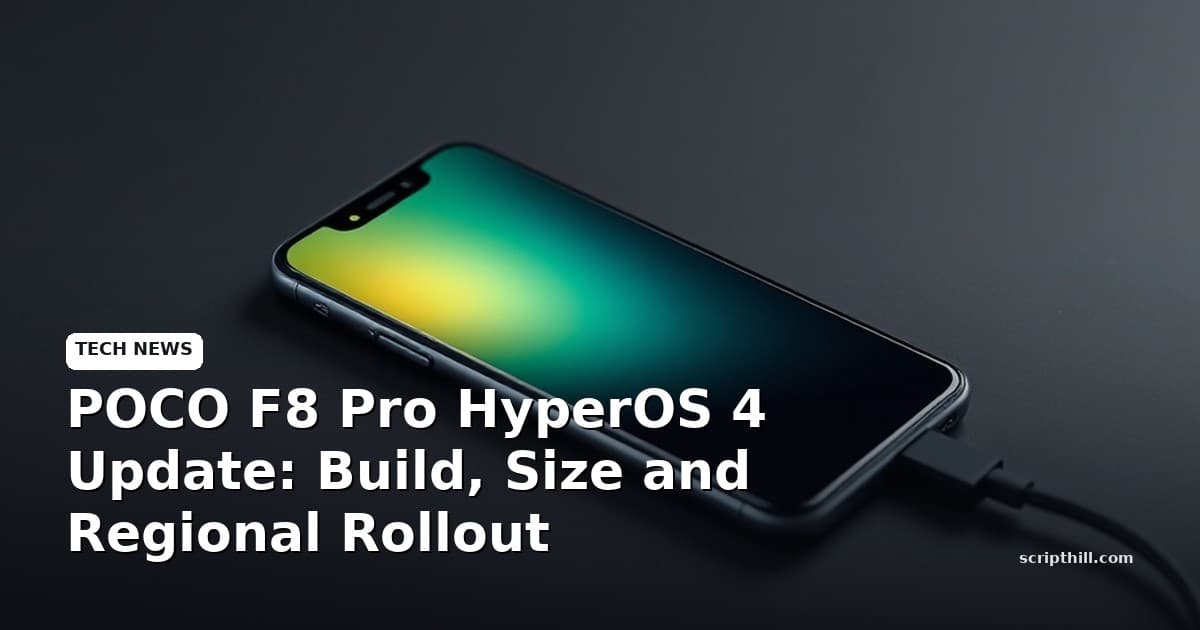
The POCO F8 Pro HyperOS 4 update is here. Xiaomi has begun rolling out OS4.0.2.0.XPKMIXM, its first global stable HyperOS 4 build, to the phone. It's an Android 17 update of about 8.4 GB, and it started arriving in November 2026.
A started rollout doesn't mean every F8 Pro owner can download it yet. Xiaomi releases updates in waves, and each ROM region follows its own track. As of November 2026, only the Global (MI) ROM has the stable build, and European EEA units are still listed as beta. Some of the headline AI features also depend on infrastructure in China and may not work on global phones.
The sections below cover how owners can check which ROM their phone runs, what HyperOS 4 changes, and whether to install it now or wait.
HyperOS 4 for the POCO F8 Pro at a glance
Xiaomi's first global HyperOS 4 build went to the POCO F8 Pro, and the confirmed details as of November 2026 are below.
| Detail | What we know |
|---|---|
| Build number | OS4.0.2.0.XPKMIXM, newer than the OS4.0.1.0 build reported as ready about two weeks before release |
| ROM region | Global. The "MI" in the build code marks the Global ROM, while EEA and other regional ROMs are still in beta |
| Android version | Android 17 |
| Download size | About 8.4 GB, a full-system update rather than a small patch |
| Rollout start | November 2026, staged in waves, so many Global units won't see it on day one |
| How to get it | Over the air: Settings → About phone → HyperOS version |
The build suffix matters more than the headline. A phone whose build ends in MIXM is on the Global track and is the only kind eligible for this release right now.
Why your F8 Pro may not show the update yet
Xiaomi doesn't send a new HyperOS version to every eligible phone at once. It releases updates in waves, so some F8 Pro units on the Global ROM may wait days or weeks after the first owners report the download. Each ROM region also gets its own build on its own schedule. The last four letters of the build string, shown under Settings → About phone, identify a phone's track: MIXM means Global, and EUXM means the European Economic Area (EEA) ROM. A phone qualifies only when its own region's build reaches stable. A European F8 Pro on the EEA ROM can't install the MI build through a normal OTA.
As of November 2026, the miuirom regional tracker for POCO HyperOS 4 shows this:
| ROM region | Build suffix | Stable HyperOS 4 status | What to do |
|---|---|---|---|
Global | MIXM | Rolling out (Nov 2026) | Check for updates every few days until the wave arrives |
Europe (EEA) | EUXM | Beta | Wait for the EEA stable build |
Indonesia | — | Beta | Wait for the regional stable build |
Russia | — | Beta | Wait for the regional stable build |
Taiwan | — | Beta | Wait for the regional stable build |
Turkey | — | Beta | Wait for the regional stable build |
India | — | No entry listed | No confirmed release, so don't expect a date |
The tracker has no Indian F8 Pro entry at all, which suggests the phone may not be sold in India officially. Owners there with imported units stay on whichever ROM the phone shipped with, so the build suffix still decides their timing. No India date has been announced. All of these statuses reflect November 5, 2026, and they'll shift as regional builds move from beta to stable.
What's new in HyperOS 4
Underneath every visible change, HyperOS 4 moves the POCO F8 Pro to Android 17. That base is why the global build weighs about 8.4 GB. It's a full platform upgrade with Xiaomi's own layer rebuilt on top, not a feature patch.
Design and customization
- Soft Light Glass, Xiaomi's new design language, applied across the system interface
- A redesigned lock screen
- Stacked widgets, so several widgets can share one spot on the home screen
- More home-screen customization options overall
Day to day, the phone will look different from the first wake-up, and owners with carefully arranged home screens may need to tidy them after the update.
Performance and smoothness
Xiaomi presents these as its stated goals for HyperOS 4. They aren't measured results, and independent testing on the F8 Pro hasn't been published:
- Lower system workload
- Better memory management
- Fewer animation stutters during long sessions
If those goals hold up, apps should stay loaded in the background longer and scrolling should stay smooth late in a heavy day. Whether that happens on this phone is still unproven.
AI and cross-device features
- Smarter voice recording
- Cross-app task automation, where one request can trigger actions in more than one app
- Live activity notifications that keep ongoing events visible
- Better interaction between Xiaomi devices, such as a phone and tablet
On paper, these are the headline additions. Xiaomi hasn't confirmed that all of them work on the global F8 Pro build, and the next section explains why.
The catch: some AI features may not work on global phones
Some of HyperOS 4's AI features depend on Super XiaoAi, the infrastructure behind Xiaomi's assistant in China. XimiTime reports that this dependency makes it unclear whether those features will work on global builds. Gizchina likewise notes that Xiaomi hasn't confirmed that every changelog item works on the global F8 Pro firmware, OS4.0.2.0.XPKMIXM. As of November 2026, that confirmation is still missing.
The design and performance changes don't rely on that infrastructure. These include Soft Light Glass, the redesigned lock screen, stacked widgets and the memory-management improvements, which makes them the safer things to expect after the update. F8 Pro owners should treat the AI additions as something to check after updating rather than as promised features. Installing HyperOS 4 for those features alone risks disappointment.
Before you install: a quick checklist
At about 8.4 GB, OS4.0.2.0.XPKMIXM is a full-system update, so a few minutes of preparation lowers the risk of a failed or interrupted install.
- Back up photos, messages and app data to Xiaomi Cloud or Google before starting.
- Charge to at least 50%, or keep the phone plugged in during installation.
- Connect to Wi-Fi. The roughly 8.4 GB download is too large for most mobile data allowances.
- Free up storage. Keeping 15–20 GB free is a sensible buffer (general guidance, not a Xiaomi figure).
- Open Settings → About phone and confirm the current build and ROM suffix. MIXM means Global and EUXM means EEA.
- Rooted or bootloader-unlocked phones may fail the OTA. Beta-program users get builds on a separate track.
How to check for and install HyperOS 4
- Open Settings → About phone. The HyperOS version tile and the current build number should appear at the top of the screen.
- Tap the HyperOS version tile to check for updates. A short search runs. If a build is waiting, its changelog appears.
- Tap Download & Install if OS4.0.2.0.XPKMIXM is listed. A progress bar tracks the roughly 8.4 GB download. Verification and installation start automatically when the download finishes.
- Let the phone restart on its own. The first boot takes longer than usual because apps are re-optimized for the new system. Interrupting it isn't worth the risk.
- Go back to Settings → About phone. The tile should now read OS4.0.2.0.XPKMIXM, and Android 17 should appear as the Android version.
If no update appears, check the ROM suffix, because as of November 2026 the EEA (EUXM) and other regional ROMs are still listed as beta on miuirom's POCO HyperOS 4 regional tracker. Owners on those ROMs should wait for their region's wave, check again later, and avoid forcing the update with sideloaded builds.
Should you update now or wait?
Pros
- The Soft Light Glass design, redesigned lock screen and stacked widgets arrive immediately.
- Xiaomi's performance work targets lower system workload, better memory management and fewer animation stutters during long sessions.
- The phone moves to Android 17.
- Security patches may be newer. Commenters on miuirom say the F8 Pro went months without security patches before this update. These are unverified user reports, but owners who care most about security have a reason to update sooner.
Cons
- First waves often get replaced builds. OS4.0.1.0.XPKMIXM was reported ready about two weeks before release and was then superseded by the 4.0.2.0 build that shipped.
- A hotfix, such as a later 4.0.x build, could follow in the coming weeks.
- Banking and work apps may not behave normally on Android 17 right away, so owners should test them after updating.
- A day or two of background optimization can bring battery drain and extra heat.
Enthusiasts can update now and accept the small chance of needing a follow-up fix. Owners who depend on the phone for work or banking should wait one to two weeks for user reports or a hotfix before tapping Download & Install.
Which other POCO, Redmi and Xiaomi phones get HyperOS 4
Xiaomi's global plan, as reported by Notebookcheck, covers 80 devices (65 phones and 15 tablets), split into the batches below.
| Batch | Devices | Timing |
|---|---|---|
Early November (POCO) | POCO C85, C95 Pro, F8 Pro, F8 Ultra, M8, M8 Pro, X8, X8 Pro, X8 Pro Iron Man Edition, X8 Pro Max | Starting early November, with no per-model dates |
Early November (Redmi) | Redmi 15C, 15C 5G, 17, 17 5G. Gizchina also mentions some Redmi Note 15 models | Starting early November, with no per-model dates |
Early November (Xiaomi/Leica) | Xiaomi 17, 17T, 17T Pro, 17 Ultra, and the Leica Leitzphone powered by Xiaomi | Starting early November, with no per-model dates |
December | 33 devices moving from HyperOS 3 to HyperOS 4. Models aren't listed here, so owners should check their own model | December, with no exact dates |
The 80-device figure is a plan, not a schedule. As of November 2026, Xiaomi hasn't confirmed an exact date for any model, and it hasn't published a 2027 plan.
A place in a batch also doesn't mean every region gets the update at once. The F8 Ultra's EEA build was reported as OS4.0.1.0.XPMEUXM, separate from the global MI track, and each ROM region moves on its own timeline. Owners coming from stable HyperOS 3 should plan for a download of more than 8 GB.
How HyperOS 4 reached global phones
- Jul 15, 2026: Xiaomi starts an interim HyperOS 3.3 release on the Xiaomi 17 series. It's already based on Android 17, which gives the new base an early public run.
- Oct 15, 2026: Stable HyperOS 4 begins rolling out in China, again starting with the Xiaomi 17 series.
- Late Oct 2026: About two weeks before release, a global stable build, OS4.0.1.0.XPKMIXM, is reported ready for the POCO F8 series.
- Oct 30, 2026: The second China batch begins.
- Nov 2026: OS4.0.2.0.XPKMIXM rolls out to the global POCO F8 Pro. It's a newer build than the 4.0.1.0 version first reported as ready.
China stable to the first global phone took roughly three weeks, but there's no fixed gap before the EEA and other regional ROMs move from beta to stable.
Frequently Asked Questions
Can I roll back from HyperOS 4 to HyperOS 3 on the POCO F8 Pro?
Not through official channels. Xiaomi doesn't offer a downgrade option in the update menu. Going back would mean unlocking the bootloader and flashing older firmware manually. Many Xiaomi phones also use anti-rollback protection, so flashing an older build can leave the device unusable. Owners who are unsure about HyperOS 4 should wait for early reports or a hotfix before installing, because reversing the update afterward isn't practical.
Why is my POCO F8 Pro running hot or draining battery after the HyperOS 4 update?
That's usually temporary. A move to a new Android version makes the system re-optimize installed apps and rebuild caches in the background. That work can warm the phone and use more battery for a day or two. If heat or drain continues well beyond that, owners should look for a misbehaving app in the battery settings and check for a follow-up 4.0.x build.
Do I need to clear battery stats or factory reset after installing HyperOS 4?
No. Clearing battery stats is an old myth and does nothing useful on modern Android phones. A factory reset isn't required either, because the update keeps apps and data in place. A reset only makes sense as a last resort if serious problems continue for days after the update. Even then, owners should make a full backup before trying it.
I'm in the HyperOS beta program. Will my POCO F8 Pro get the stable HyperOS 4 build automatically?
Not necessarily. Beta testers are on a separate update track from regular users. Xiaomi hasn't published specific instructions for moving F8 Pro beta units to stable HyperOS 4. Testers should check the update screen and any messages from the beta program. If a stable build doesn't appear, leaving the beta through official means is safer than flashing firmware manually.
Is the POCO F8 Pro still a good buy for long-term software updates?
There are some encouraging signs, but no guarantees. The F8 Pro received the first global HyperOS 4 build, which suggests Xiaomi considers it a priority device. However, Xiaomi hasn't announced plans beyond 2026, and some owners on miuirom say the phone went months without security patches before this release. Support also varies by ROM region. EEA and other regional builds are still in beta, and the phone has no listed entry for India.
What to watch over the next few weeks
Three developments will decide when most F8 Pro owners actually see HyperOS 4. The first is stable builds for the EEA (EUXM) ROM and the other regions still listed as beta: Indonesia, Russia, Taiwan and Turkey. Regional trackers such as miuirom's usually flip those entries from beta to a month before the download reaches most phones. The second is a hotfix. Xiaomi already swapped OS4.0.1.0 for OS4.0.2.0 before release, so a later 4.0.x build replacing it within weeks wouldn't be unusual. Cautious owners may prefer to wait for that build. The third matters to owners of other Xiaomi-family phones: confirmed dates for the December batch of 33 devices, which Xiaomi hasn't published.
All of this reflects the situation as of November 5, 2026. Headlines will keep changing, but the build suffix under Settings → About phone settles the question. A phone ending in EUXM should wait for its own stable build. One ending in MIXM is worth checking every few days.
Sources
- POCO F8 Pro Gets HyperOS 4 as Xiaomi Starts Global Rollout · gizchina.com
- POCO HyperOS 4 Update Rollout: Tracker & Release Status · miuirom.org
- POCO F8 Pro Gets HyperOS 4 Update: Check Android 17 Features and Rollout Details · newsd.in
- Xiaomi starts Global HyperOS 4 releases with POCO F8 Pro - XimiTime · ximitime.com
Want more from ScriptHill in Google? Add us as a preferred source