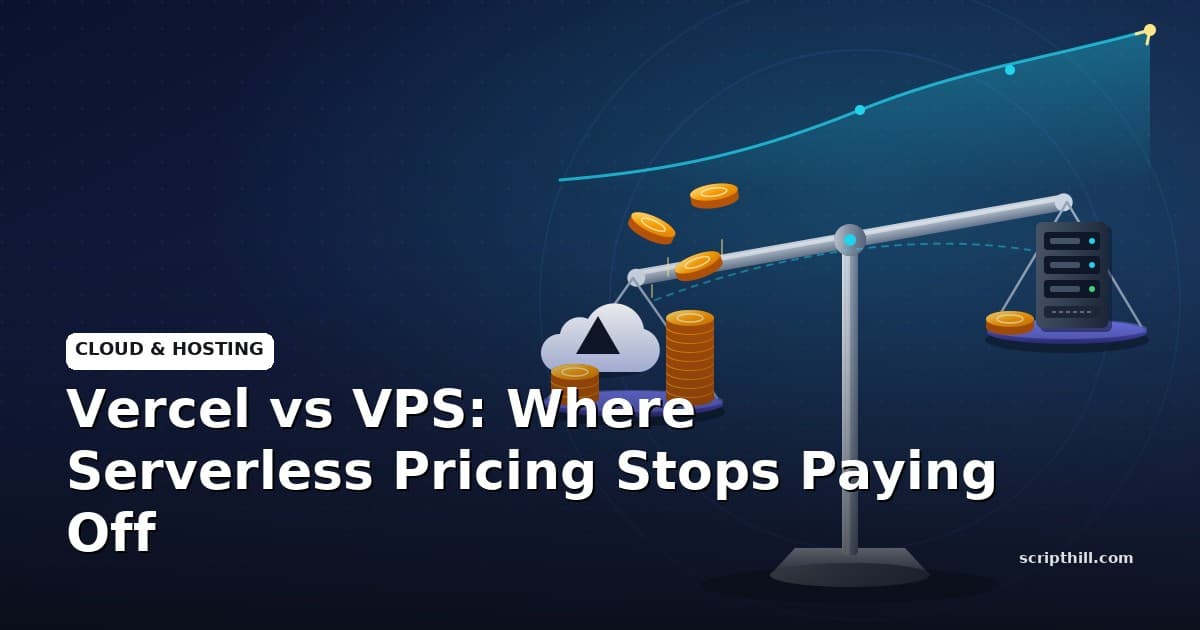
For most small and medium apps run by a small team, Vercel Pro is worth paying for. At $20 per deploying seat with generous usage allowances, it costs less than the hours you'd spend running your own server. It stops paying off when an uncapped usage line keeps climbing: bandwidth-heavy media, heavy server-side rendering, a growing roster of paid seats, or long-running and stateful work that serverless handles poorly.
So the Vercel vs VPS decision rarely comes down to visitor count. Two sites with identical traffic can get very different bills depending on what each request does.
Leaving Vercel entirely usually isn't the best move. Optimize first, then shift only the heavy parts to a flat-rate VPS and keep the frontend where it is. All pricing here is current as of early November 2026.
What actually drives a Vercel bill
The $20 base fee barely matters. Your bill comes from seats and a handful of usage meters, and only some of those scale with traffic.
Every deploying seat on Pro adds $20, while viewer seats are free. The plan's $20 of usage credit expires each month and doesn't roll over, so a quiet month banks nothing for a busy one.
MakerKit counts at least seven separate billing axes. The ones to audit are data transfer and CDN, requests, Active CPU (from $0.128 per hour), provisioned memory ($0.0106 per GB-hour), image optimization, and build minutes, of which Pro includes 1,000. Server-rendered pages draw on CPU and memory with every request. Static pages mostly cost you transfer.
Sources disagree on bandwidth because the model has changed. Those published in October and November describe a Flat Rate CDN tier on Pro that includes 1 TB and 1M requests, with higher tiers at $20, $100 or $300 a month. Earlier 2026 write-ups describe per-GB overage at $0.15, rising to $0.35 in some regions. Vercel reprices often, so confirm what applies to your account on vercel.com/pricing.
Add-ons can raise the bill faster than traffic does. SAML SSO costs $300 a month, a HIPAA BAA $350, and Advanced Deployment Protection $150. Enterprise reportedly starts around $3,500 a month, though that figure comes from reports, not a published list price.
Hobby is free but limited to non-commercial use, so it's off the table for a business.
Break-even depends on workload shape
What predicts when a VPS gets cheaper is the cost of each visit: how many bytes it pulls, how much server work it triggers, and whether that work fits a quick request-and-response model at all.
A typical site scales gently. In Flexprice's worked Vercel bills, 50k visitors on 3 seats came to about $60 a month, using 214 GB of the 1 TB allowance. Five times that traffic, 250k visitors on the same 3 seats, came to about $294. That's real money but not a cliff, and once you count the hours spent maintaining a server, a VPS doesn't beat it by much.
Bandwidth and media change the math. Video, large downloads, image-heavy galleries and file hosting push terabytes, and hosts that bundle traffic into a flat plan can serve it for orders of magnitude less. Hetzner's EU plans have historically included around 20 TB on entry tiers, but many providers repriced in 2026, so compare live rates rather than old benchmarks.
Heavy server-side compute is the next tipping point. If every request renders PDFs, transforms images or crunches data, Active CPU becomes your largest line item. Long-running and stateful work fits serverless even worse: WebSockets, queues and multi-minute jobs want a process that stays up, and a VPS runs one for a flat price.
Slow APIs no longer belong on that list. Fluid compute doesn't bill Active CPU while your code waits on I/O, so LLM streaming and API proxies cost far less than they did under per-duration billing.
Before blaming the pricing, check your analytics for bots and AI crawlers. They inflate request counts and SSR compute and can make your workload look heavier than it is.
Cut the bill before you compare
Most people compare a $5 VPS against a Vercel bill nobody has tuned. Open the Usage tab, sort the line items by cost, and find the top two. They usually account for most of the overage and tell you which fix pays off first. Pagepro traces most spikes to overused SSR, unoptimized bundles, missing caching and idle paid seats, and it reports cutting one client's bill by 35% through optimization alone.
- Move SSR pages to static generation or ISR wherever the content doesn't change per request. Every page served from cache is Active CPU you don't pay for. If you upgraded recently, check how caching defaults changed in Next.js 15, because some pages may have gone dynamic without anyone noticing.
- Set explicit
Cache-Controlheaders on API routes and assets so the CDN answers repeat requests instead of your functions. - Limit image sizes and variants. A short
deviceSizesandimageSizeslist innext.configmeans fewer transformations to bill. - Add firewall rules for the bots and AI crawlers you found in your analytics, so they're blocked before they trigger SSR.
- Remove deploying seats from anyone who only reviews deployments. Viewer seats are free.
If you stay, turn on spend management with an on-demand budget or automatic project pause, so a viral week or a bot swarm can't run up an open-ended bill.
The real cost of running a VPS
A VPS is cheap because you take on the work Vercel's price covered. OS patching, backups, monitoring, zero-downtime deploys and TLS renewal are all yours now. A missed security update or a backup job that quietly stopped running becomes your incident, at whatever hour it surfaces.
One box also means no redundancy. A hardware fault at the host or a bad upgrade takes the site down until someone fixes it, so somebody has to be reachable when the alert fires.
You also give up global edge delivery, a preview URL for every branch, instant rollbacks and DDoS absorption. Putting Cloudflare in front recovers CDN caching and some protection. Previews and rollbacks you have to rebuild yourself.
The usual stack is Docker deployed with Coolify, Dokploy or Kamal, Caddy or Traefik for certificates, Cloudflare in front, automated off-server backups, and Uptime Kuma for monitoring. Coolify and Dokploy are the middle ground: both restore push-to-deploy from Git and some preview workflow, which removes most of the daily friction.
To price the ops work honestly, put an hourly value on your time, either what you bill clients or what a contractor would charge. Multiply it by your maintenance hours in a typical month, counting upgrades and the occasional outage, and add the server fee. Compare that total against your tuned Vercel bill.
Self-hosting Next.js without losing features
On a single server, almost everything survives the move. Set output: 'standalone' in next.config.js, or ship a Docker image built from that output, and next start handles ISR, middleware and image optimization with no extra wiring. The trouble starts when you run more than one instance.
ISR breaks first. Each instance keeps its own page cache on local disk, so after a revalidation one container serves the fresh page while another keeps serving the stale one. The fix is a shared store, usually Redis, wired in through a custom cacheHandler, with cacheMaxMemorySize: 0 so no instance holds its own in-memory copy.
Image optimization comes next. Every resize and format conversion runs on your CPU, and a burst of first-time requests for new variants can pin a small VPS. Pre-size images at build time, let Cloudflare cache the /_next/image responses, or hand resizing to an image CDN through a custom loader.
If you'd rather not patch these gaps yourself, OpenNext is an open-source project that adapts Next.js builds so Vercel-specific behavior works on other hosts.
Vercel, VPS and hybrid compared
Only the hybrid row has no weak column that's hard to fix, because each workload runs where it's cheapest.
| Bill predictability | Ops time | Global latency | Previews and rollbacks | Long-running and WebSockets | Spike handling | Next.js parity | Lock-in | Cost: small / growing / media-heavy | |
|---|---|---|---|---|---|---|---|---|---|
Vercel Pro | Varies with usage; caps help | Near zero | Edge CDN | Built in | Limited | Auto-scales, and so does the bill | Full | Moderate | Cheap / climbs with usage / expensive |
VPS + Coolify or Dokploy | Flat | Hours every month | One region unless Cloudflare fronts it | Possible, you configure them | Full | Limited by box size | Most features; multi-instance ISR needs work | Low | Flat / flat until you resize / cheapest |
Hybrid | Mostly flat | Some | Edge for the frontend | Built in for the frontend | Full, on the VPS | Frontend scales; backend is capped | Full | Low to moderate | Near Vercel / flatter / close to VPS |
The hybrid setup adds a second deploy target, a cross-origin API and a server you have to patch. In return, it moves the line items that grow without a cap onto flat-rate hardware. That's usually most of the savings from leaving Vercel, and you keep previews, rollbacks and edge delivery for the pages visitors actually see.
How to split the stack
Draw the line at anything that holds a connection open, runs on a schedule, or moves big files. None of it needs Vercel's edge.
Your Next.js frontend stays put. Page rendering is mostly short request-and-response work that fluid compute bills efficiently, and the CDN allowance easily covers HTML and small assets.
Move WebSockets, queues and workers to the VPS first. Persistent connections and background loops keep functions alive, burning Active CPU and provisioned memory around the clock, while on a VPS they cost nothing beyond the box. Cron jobs and long-running jobs go too. Put the database next to them so workers don't pay for a round trip across the internet on every query.
Media usually saves the most. Put video, downloads and large images in object storage or on a bundled-traffic VPS behind Cloudflare, and the transfer and image optimization lines that topped your audit drop to a fraction of what they were.
Frequently Asked Questions
Can I run a commercial project on Vercel's free Hobby plan?
No. A SaaS, a client site, or anything that earns money belongs on Pro. Hobby is also built for a single developer and has hard ceilings: 100 GB of transfer, 1M function invocations, and 4 hours of Active CPU a month. It's fine for prototypes and side projects, but plan the move to Pro before you launch.
Are Netlify, Render, Railway or Cloudflare Pages a better middle ground than a VPS?
Sometimes, depending on which cost hurts. Netlify bills by usage much like Vercel, so it rarely fixes a bandwidth problem. Cloudflare is very cheap for bandwidth-heavy frontends, but Next.js runs there through an adapter like OpenNext, with runtime limits on some features. Render and Railway handle long-running services, WebSockets and cron without you patching a server, so they suit the backend half of a split stack. Expect to pay more than a raw VPS for that convenience.
Stay, split or move
Stay on Vercel if your bill sits below a few hundred dollars a month and your team is small. Stay too if you need SAML SSO or a HIPAA BAA, if your traffic spikes without warning, or if nobody on the team can answer an alert at 3 a.m. The premium pays for something you'd otherwise have to build or staff.
Split when one or two heavy line items still dominate after you've fixed caching and trimmed seats. Move those workloads off Vercel and leave the frontend where it is.
Leave entirely only when bandwidth, compute or long-running work makes up most of the bill and someone will own the server every week, not just on launch day.
Take last month's top two line items and see which of these rules they fall under.
Sources
Want more from ScriptHill in Google? Add us as a preferred source